
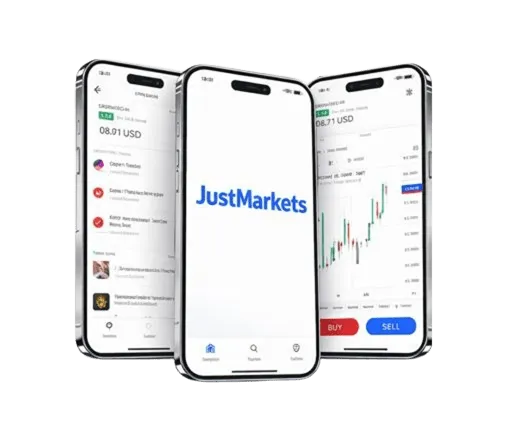
General Information on JustMarkets Demo Account
Our company provides Indian traders with a demo account designed to simulate real forex and CFD trading environments. This account features unlimited virtual capital, updated market data, and full access to our trading platforms. Traders can execute orders, test techniques, and get accustomed to market fluctuations without risking actual funds. The demo environment supports both currency trading and CFDs on commodities, indices, and stocks. This practice tool is tailored for users in India, incorporating local currency options and trading instruments relevant to the Indian market.
| Feature | Specification | Benefit |
|---|---|---|
| Virtual Balance | $10,000 USD | Practice without risk |
| Market Access | 300+ instruments | Full trading experience |
| Platform Support | MT4, MT5, WebTrader | Multiple interface options |
| Account Duration | 30 days renewable | Extended practice time |
| Real-time Data | Live market feeds | Authentic trading conditions |
We provide this demo account as a risk-free environment, allowing users to explore both forex and CFD markets. The platform supports Indian Rupee (INR) as a base currency, which makes it convenient for domestic users. Our demo account integrates with all major trading platforms supported by JustMarkets. The simulated conditions replicate live market prices to ensure realistic experience. Users can practice using advanced analytical tools and order types available on the platform.
Setting Up Your Demo Account
Registering for a demo account with JustMarkets involves a straightforward process tailored for Indian users. Begin by accessing our official website and locating the demo registration form. Input your email address, create a strong password with uppercase letters, digits, and special symbols. Choose India as your country and select your preferred currency, including INR. This setup takes under two minutes and requires no extensive documentation.
Account Verification Process
After submitting the registration form, you will receive a verification email. Click the activation link to confirm your email address and activate your demo account. This step enhances security and enables immediate platform access. Upon activation, the system generates credentials for MetaTrader 4 and MetaTrader 5 platforms. These login details, including server address, username, and password, appear in your dashboard. It is advisable to save this information securely for seamless platform entry.
Platform Access Credentials
Our system supports simultaneous use of MT4, MT5, and WebTrader interfaces. The generated credentials provide access to all these platforms without additional registration. You can switch between platforms using the same login information. This flexibility allows you to choose the interface best suited to your trading style. Credentials are valid for the duration of the demo account, with the option to renew after expiry.
How to Login to Platforms
To log in to MetaTrader 4 or 5, download the respective software from our website or app stores. Install the software on your Windows or Mac device. Open the platform, select ‘Login to Existing Account’, and input your credentials. For WebTrader, simply visit our site, select the WebTrader tab, and enter your login details. This browser-based platform requires no installation and works on all modern browsers.
Password Reset and Support
If you forget your demo account password, use the ‘Forgot Password’ option on our site. A reset link will be sent to your registered email. Customer support in India is available 24/5 via live chat and email for prompt assistance. We encourage users to contact support for any login or technical difficulties. Ensuring uninterrupted access is part of our commitment to Indian traders.
Platform Access Methods
We provide three main platforms for demo trading: MetaTrader 4, MetaTrader 5, and WebTrader. Each platform supports forex and CFD instruments, with tools tailored to various trading strategies. MT4 is popular for its automated trading capabilities using Expert Advisors. MT5 offers enhanced features including more timeframes and an integrated economic calendar. WebTrader requires no installation and supports real-time quotes with a user-friendly interface.
MetaTrader 4 Features
MT4 supports algorithmic trading through Expert Advisors (EAs), custom indicators, and advanced charting tools. It includes 30 pre-installed technical indicators and nine chart timeframes. Multiple chart windows can be opened simultaneously for detailed analysis. Traders can place orders directly from charts and manage trades with ease. The platform supports Windows and Mac operating systems with mobile versions available.
MetaTrader 5 Enhancements
MT5 extends MT4’s capabilities by adding more timeframes and an inbuilt economic calendar. It supports more order types and offers market depth visualization. The platform includes 38 technical indicators and 44 analytical objects. MT5 is optimized for professional traders seeking detailed market insights. It supports both forex and CFD instruments with faster execution speeds.
WebTrader Interface
WebTrader requires no download and works directly within browsers such as Chrome, Firefox, and Edge. It features one-click trading, customizable layouts, and a responsive design for mobile devices. The platform integrates an economic calendar and live news feeds. Users can access their demo account anywhere with internet connectivity. This option suits traders preferring quick, accessible solutions without software installation.
| Platform | Installation | Features | Best For |
|---|---|---|---|
| MT4 | Desktop software | Expert Advisors, custom indicators | Advanced traders |
| MT5 | Desktop software | More timeframes, economic calendar | Professional analysis |
| WebTrader | Browser-based | Quick access, mobile-friendly | Beginners, mobile users |
System Requirements
MT4 and MT5 require Windows 7 or later, MacOS 10.12 or higher, and minimum 2GB RAM. WebTrader operates on any device with modern browsers and internet access. Mobile apps are available for Android 6.0+ and iOS 12.0+. Stable internet connection is recommended for all platforms to ensure smooth order execution. Supported formats include MT4/5 native files for indicators and EAs.
Trading Instruments Available
Our demo account grants access to over 300 trading instruments encompassing forex and CFDs. Forex pairs include major, minor, and exotic options with competitive spreads. Commodity CFDs cover precious metals, energy products, and agricultural goods. Indian traders can access CFDs on indices like NIFTY 50 and global indices such as S&P 500 and FTSE 100. Individual stock CFDs from leading exchanges broaden asset diversity.
Forex Pairs Selection
We provide 50+ forex pairs including EUR/USD, GBP/USD, USD/JPY, and USD/CHF. Exotic pairs involving the Indian Rupee, such as USD/INR, EUR/INR, and GBP/INR, allow users to trade domestic currency fluctuations. Spreads on major pairs start from as low as 0.1 pips, optimizing cost efficiency. Liquidity is ensured by deep market access and fast execution. These pairs suit various trading approaches from scalping to swing trading.
Commodities and Indices
Commodity CFDs include gold, silver, platinum, crude oil, and natural gas. Agricultural products like wheat, corn, and soybeans are also available for trading. Index CFDs cover both Indian and international benchmarks, providing exposure to global market trends. These assets offer diversification opportunities beyond forex. Traders can practice hedging and speculative strategies using these instruments.
Stock CFDs
We offer CFDs on stocks from major exchanges such as NSE, NYSE, and LSE. These contracts provide price exposure without owning the underlying shares. Our demo environment allows testing of strategies involving individual stocks with real-time price feeds. Indian traders benefit from access to local blue-chip companies and global market leaders. Stock CFDs include dividend adjustments and corporate actions simulated accurately.
- Over 50 currency pairs including major and exotic
- 20+ commodities including metals and energy
- 15+ global and Indian stock indices
- Wide selection of stock CFDs from international markets
- Spreads from 0.1 pips on major forex pairs
Risk Management Tools
Our platform integrates essential risk management features to support disciplined trading. Stop-loss and take-profit orders allow automatic position closure at predefined levels. Position sizing calculators determine optimal trade volumes based on account balance and risk percentage. The risk-reward ratio tool helps evaluate potential trades before execution. These tools operate seamlessly within all supported platforms, including the demo environment.
Stop-Loss and Take-Profit
Placing stop-loss and take-profit orders is straightforward. While opening a position, specify exit price points to limit losses and secure profits. The system triggers these orders automatically once the price reaches set levels. This helps control risk without constant monitoring. Trailing stops are also supported, adjusting dynamically as the market moves favorably.
Order Types
Users can execute market orders for immediate entry at current prices. Pending orders include buy limit, sell limit, buy stop, and sell stop, enabling strategic entry at target prices. Trailing stops provide flexible risk control by moving stop-loss orders in line with price trends. This variety enables precise trade management to fit different market conditions. All these order types are available on MT4, MT5, and WebTrader platforms.
Position Sizing Calculators
Our platform includes calculators to determine ideal lot sizes based on risk tolerance. Input your account balance, stop-loss distance, and risk percentage, and receive suggested trade volume. This feature prevents overexposure and supports consistent risk management. Using these calculators within the demo account helps gain confidence before live trading. We encourage Indian traders to use these tools routinely.
| Risk Tool | Description | Usage |
|---|---|---|
| Stop-Loss | Automatic loss limiting order | Set price below entry to limit losses |
| Take-Profit | Automatic profit booking order | Set target price to close position |
| Trailing Stop | Dynamic stop-loss adjustment | Locks in profits as price moves |
| Position Sizing | Calculates volume based on risk | Input account balance and risk % |
Educational Resources Integration
We embed extensive educational content within the demo account framework. Video tutorials demonstrate platform features and trading basics. Weekly webinars led by market experts present technical and fundamental analysis. Trading guides are downloadable and cover risk control and market mechanics. The economic calendar integrated into platforms informs users about upcoming market-moving events.
Video Tutorials
Accessible via the personal dashboard, tutorials cover platform navigation, order placement, and indicator usage. These videos are structured for beginners and intermediate traders. They enable users to practice while following step-by-step instructions. The availability in English and Indian time zone scheduling makes them convenient for Indian users.
Live Webinars
Weekly sessions focus on market outlook, technical patterns, and psychological aspects of trading. Users can submit questions in real-time and receive expert answers. These webinars complement hands-on demo practice by providing market context. Attendance is free for registered demo account holders.
Market Analysis Tools
The platform offers built-in tools like trend lines, support/resistance identification, and pattern recognition. An integrated economic calendar highlights scheduled reports and news releases. Daily market commentaries by analysts provide summaries of key price movements. These resources support informed decision-making while trading the demo account.
| Resource Type | Content | Access Method |
|---|---|---|
| Video Tutorials | Platform navigation, strategy basics | Personal dashboard |
| Live Webinars | Market analysis, Q&A sessions | Weekly schedule |
| Trading Guides | Risk management, technical analysis | Download center |
| Economic Calendar | News events, market impact | Platform integration |
Performance Tracking Features
Our demo account offers advanced tools to monitor trading results and refine strategies. Detailed profit and loss statements track overall gains and losses in base currency. Win-rate metrics and average gain/loss ratios provide insight into trading effectiveness. The platform records maximum drawdown and recovery periods to evaluate risk exposure. Trade history logs individual transactions with timestamps and price details.
Monthly Reports
Users receive automated monthly summaries of trading activity. These reports highlight strengths and areas needing improvement. Statistical analysis includes average trade duration, frequency, and risk-adjusted returns. Reports are accessible via the personal dashboard and can be exported for offline review.
Export and Analysis
Trade logs and performance data can be downloaded in CSV format. This allows importing into external software for customized analysis or journal maintenance. Indian traders can integrate these reports with local accounting tools or personal records. Export functionality supports ongoing performance optimization.
Key Metrics Tracked
- Total profit/loss in the chosen base currency
- Win rate percentage and average win/loss ratio
- Maximum drawdown and recovery time
- Trade frequency and position holding durations
- Risk-adjusted performance indicators including Sharpe ratio
Transitioning from Demo to Live Trading
Switching from a demo to a live account requires completing the KYC process using Indian identity documents such as Aadhaar, passport, or driving license. After verification, you can fund your trading account with a minimum deposit of $10 USD or equivalent in INR. Payment options include bank transfer, UPI, and popular digital wallets supporting Indian users. Selecting an account type depends on your trading volume and experience level.
Account Types Overview
Cent accounts are designed for beginners, offering micro-lot trading with minimal capital. Standard accounts support full contract sizes with competitive spreads suitable for intermediate traders. Pro accounts feature enhanced execution speeds and tighter spreads for high-volume traders. Raw spread accounts provide institutional pricing with commission-based fees. Each account type can be accessed through the same platform interfaces as the demo.
Funding Your Account
Deposits can be made via multiple Indian payment methods. UPI transfers provide instant crediting of funds. Bank transfers and digital wallets are also supported with varying processing times. Withdrawal requests are processed promptly following regulatory compliance. Our customer support is available to assist Indian traders during the funding process.
Preparing for Live Trading
The demo account experience equips traders with necessary skills in risk management, market analysis, and platform navigation. Practicing order placement, using risk tools, and testing strategies reduces emotional pressure when transitioning to real funds. We recommend Indian users exhaust the demo period to build confidence. Our support team is available to guide you through the transition steps.
| Account Type | Minimum Deposit | Features | Ideal For |
|---|---|---|---|
| Cent | $10 | Micro-lots, simple interface | Beginners |
| Standard | $100 | Full contracts, competitive spreads | Intermediate traders |
| Pro | $1,000 | Fast execution, reduced spreads | High-volume traders |
| Raw Spread | $2,000 | Commission-based, institutional pricing | Professional traders |
❓ FAQ
How do I create a JustMarkets demo account in India?
Visit our official website, fill in your email, create a password, select India as your country, and choose your preferred base currency. Verify your email to activate the account and receive login credentials.
Which platforms can I use with the demo account?
You can access MetaTrader 4, MetaTrader 5, and WebTrader with the same demo account credentials. Each platform supports forex and CFD trading with full features.
Can I trade Indian Rupee pairs on the demo account?
Yes, our demo account includes exotic forex pairs such as USD/INR, EUR/INR, and GBP/INR to practice domestic currency movements.
What educational resources are available in the demo account?
Video tutorials, live webinars, downloadable guides, and an integrated economic calendar are provided to enhance your trading knowledge.
How do I switch from demo to live trading?
Complete your KYC verification using Indian ID documents, fund your live account with the minimum deposit, and select the account type best suited to your trading style.